Overview
LadaSprite Importer is a Unity Editor extension that imports atlas exports produced by the LadaSprite packer and converts them into Unity-ready sprites and optional animation clips. It accepts ZIP packages (containing PNG pages and atlas_unity.json) or individual JSON + images, slicing textures and creating sub-assets ready for use in scenes and prefabs.
Requirements
- Unity 2019.4 and newer (tested up to Unity 2024 and Unity 6 compatibility).
- Editor privileges to add assets to the project.
- No extra packages required to use the importer; basic usage relies on Unity built-in UI.
Installation
- Copy the
Assets/LadaSpriteImporterfolder into your Unity project. - Wait for Unity to compile the editor scripts (watch the status bar).
- Open the importer via Tools → LadaSprite Importer.
Important: include the entire folder when preparing your package for the Unity Publisher Portal so documentation is included for reviewers.
Usage — Quick Start
- Export your atlas from the web packer (LadaSprite web) as a ZIP containing
atlas_unity.jsonand PNG page(s), or export JSON + PNG(s) separately. - Open the Importer window:
Tools → LadaSprite Importer. - Drag & drop the exported
.zip(or theatlas_unity.jsonfile and its sibling PNGs) into the drop area in the Importer. - The importer creates a unique folder under
Assets/LadaSpriteImports/<name>, writes the PNG pages and JSON, slices sprites on the page texture assets, and optionally generates animation clips (if present in JSON). - Use the sprites and clips in your scenes and prefabs like any other Unity sprite assets.
About the Packer (LadaSprite web)
The LadaSprite web packer is the free and open-source tool used to create atlas packages. Visit https://ladasprite.pages.dev to pack your PNG frames into an atlas and export ZIP/JSON files. The web tool handles packing, trimming, pivot preview, and export options; the Unity Importer ingests its output.
Step-by-step Tutorial (with screenshots)
The following annotated screenshots demonstrate a typical workflow: import frames, configure packing, export as ZIP, then import into Unity and use generated sprites and animations.

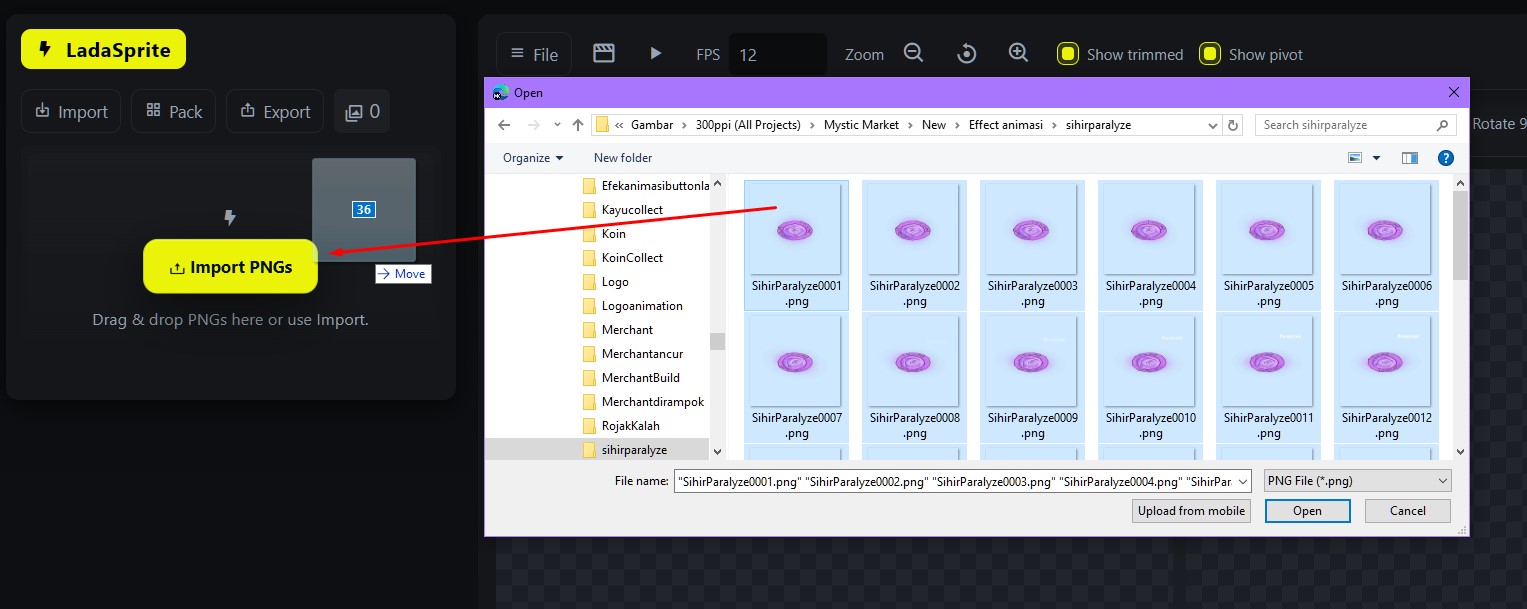
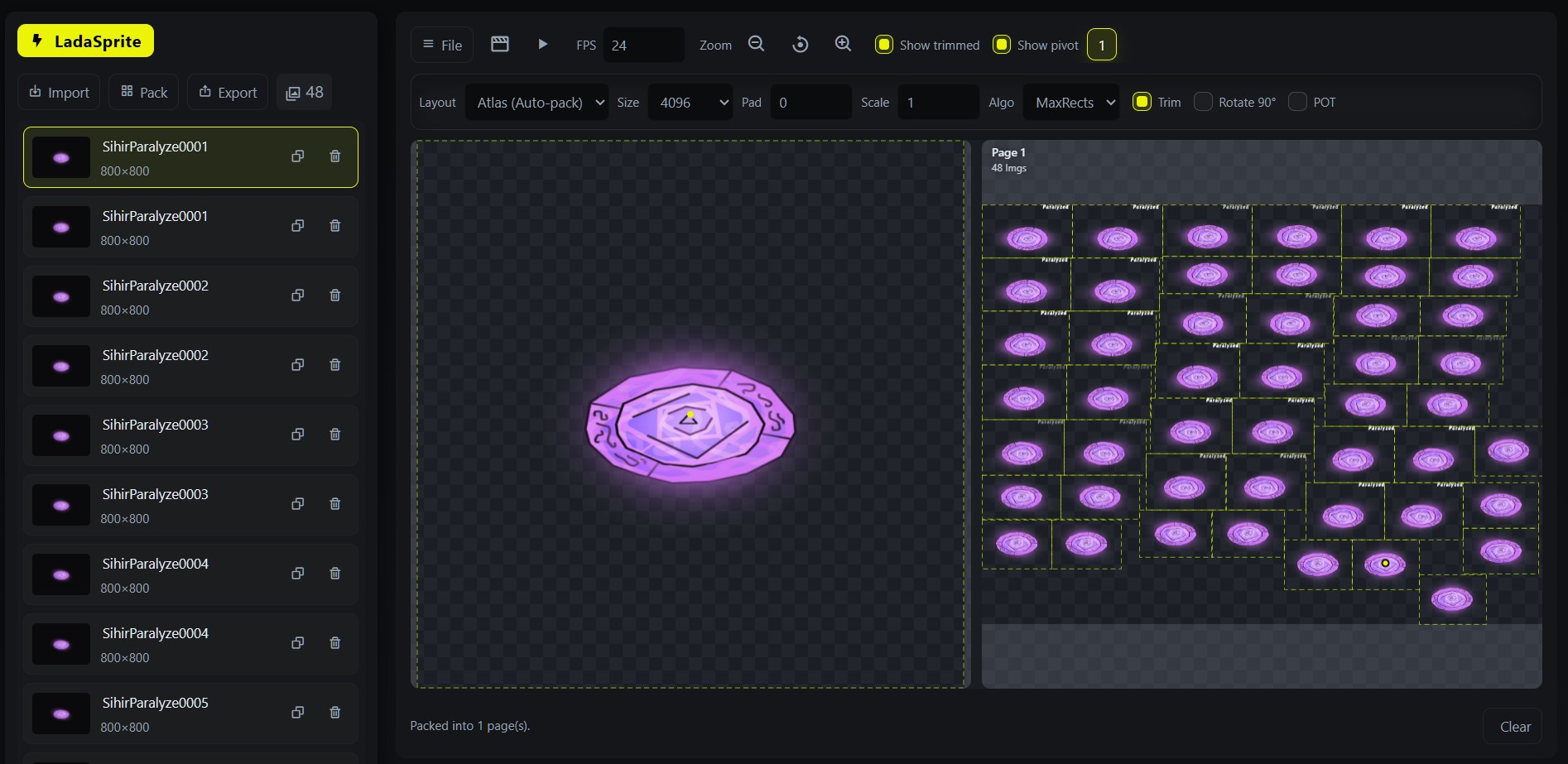
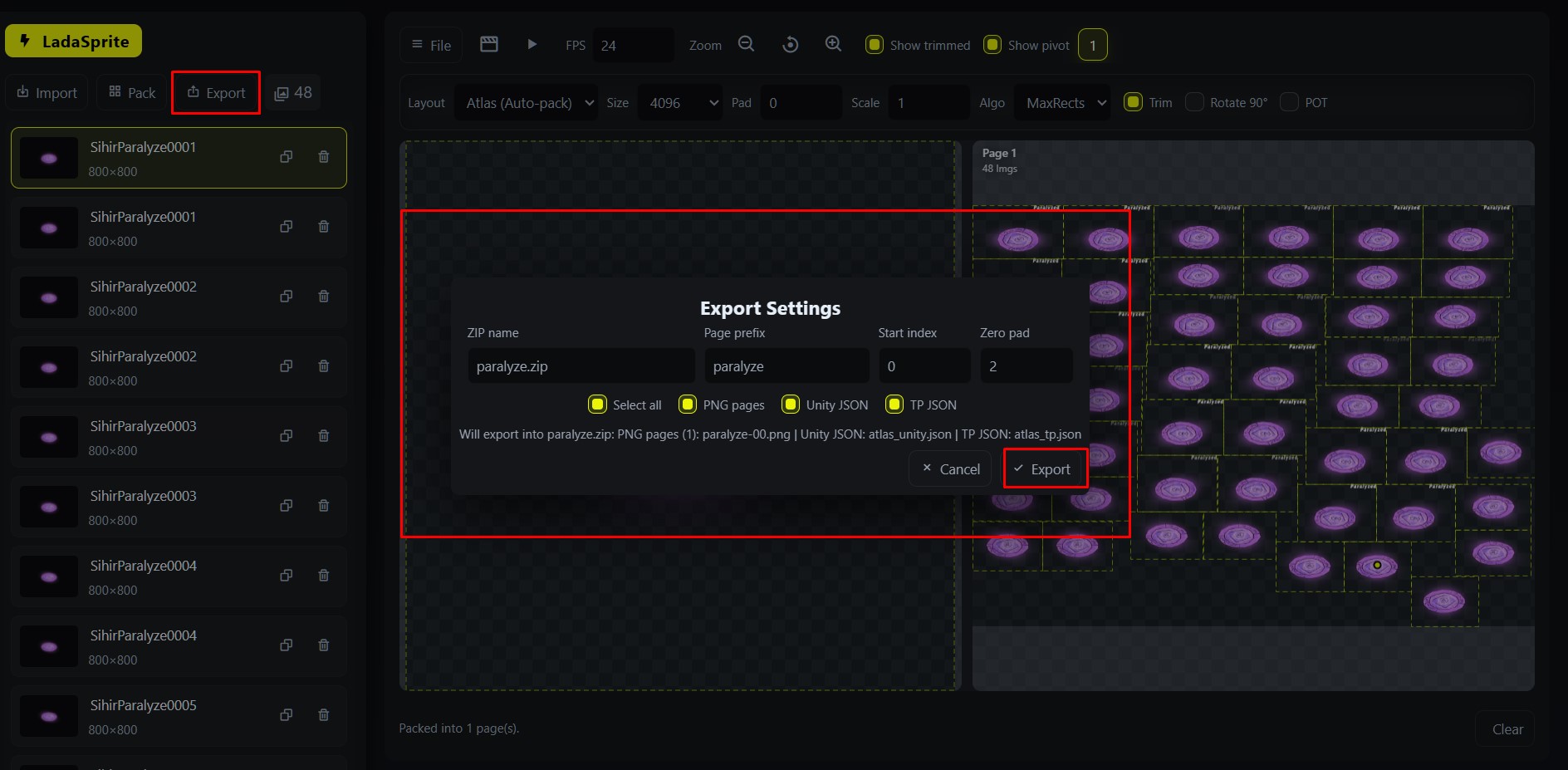
Unity JSON (atlas_unity.json) option so the importer can interpret pages and frames correctly.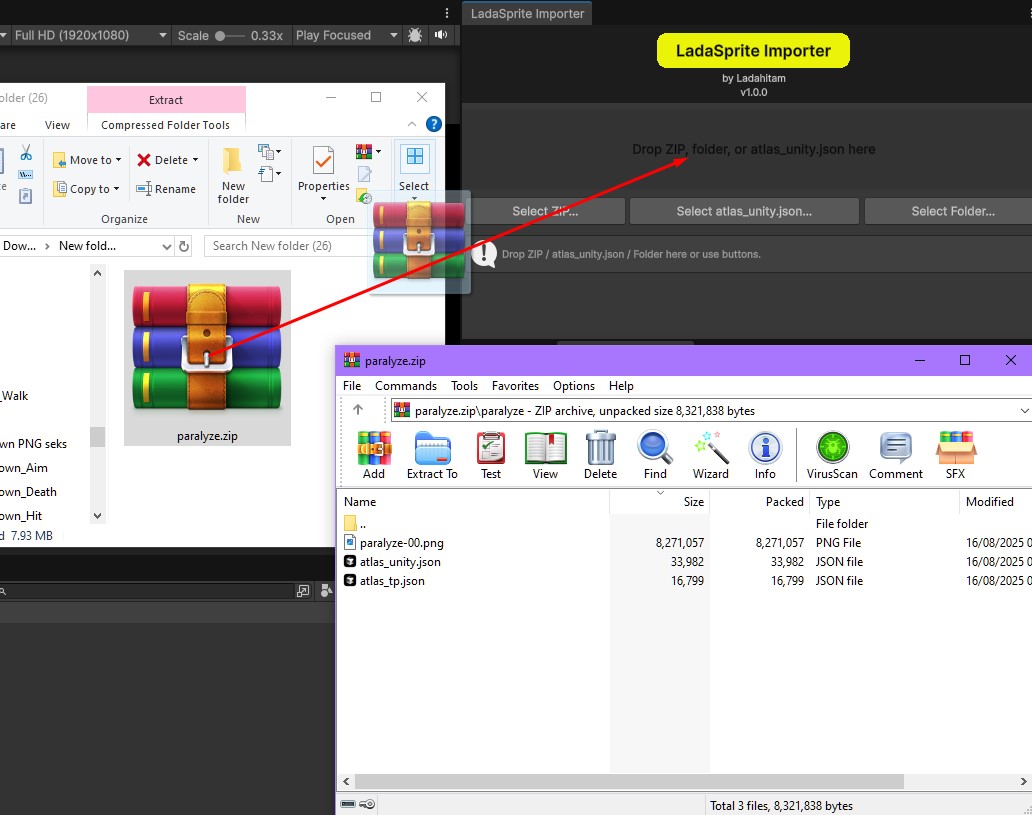

Animations folder.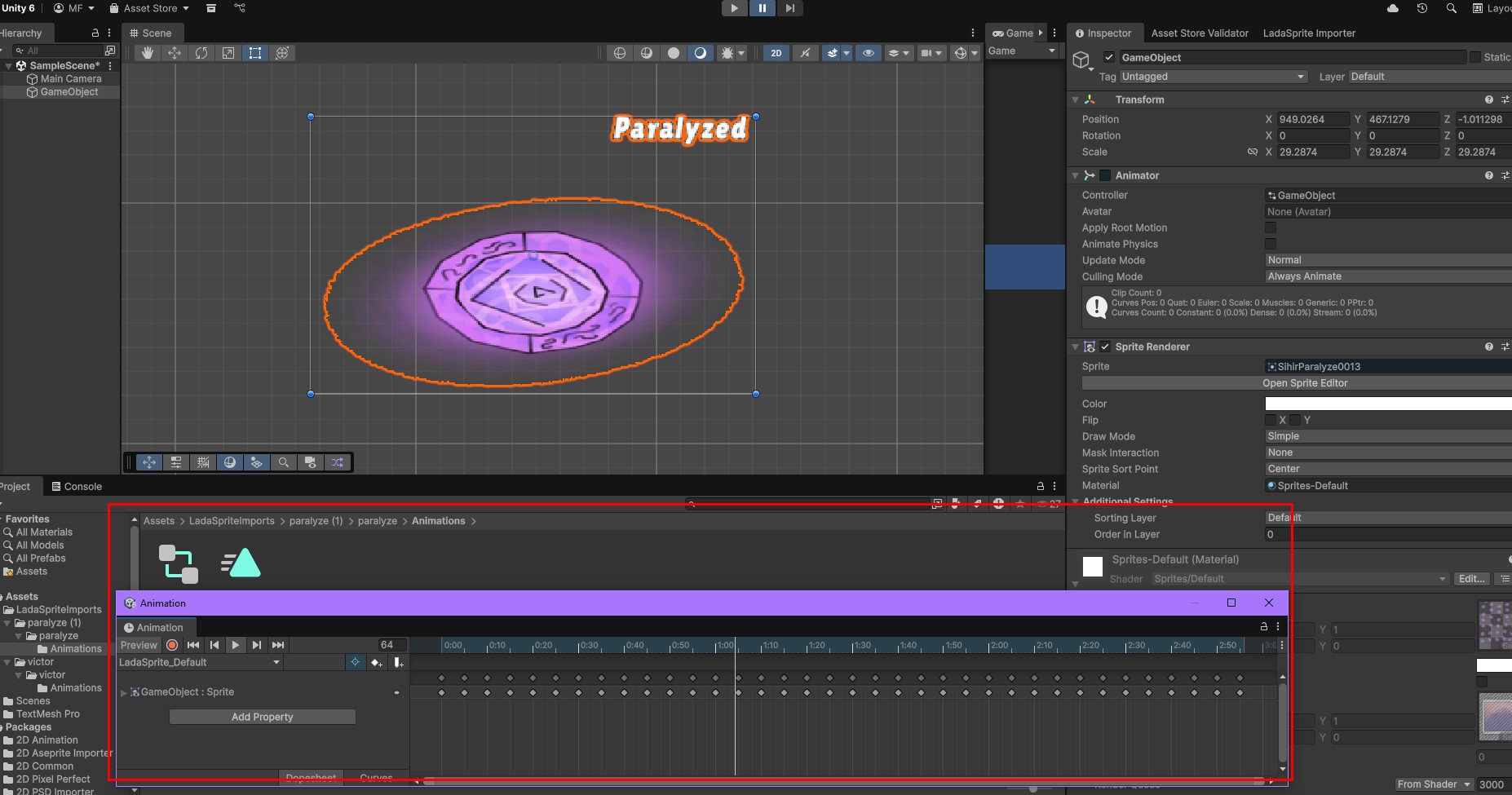
Files Created by the Importer
Assets/
  LadaSpriteImports/
    <your-package-name>/
      page0.png            (atlas page image — sliced into sprites)
      atlas_unity.json     (Unity-format JSON describing frames)
      atlas_tp.json        (optional other format)
      Animations/
        *.anim             (generated AnimationClips)
      (sliced sprites stored as sub-assets of the page texture)
License & Copyright
Copyright © 2025 LadaHitam Creation. All rights reserved.
The importer code is provided under the license included in the project's LICENSE file. By distributing this package you confirm you have rights to any included third-party assets used as samples.
Support & Contact
For bug reports, support requests, or feature inquiries, contact: ladahitamcreation@gmail.com.
Changelog
Version 1.0.0 — First Release
- Initial release of LadaSprite Importer.
- Import atlas ZIP or JSON+images, automatically slice sprites, and optionally generate AnimationClips.